目次
Palworld – How to Set Server Name
1. Prerequisites
Please log in to the Game Panel.
For information on how to log in to the Game Panel, please see here
2. Revision History
- 1.0:
- Creation Date: 2024/1
- Update Details: Initial version created
- Created by: BESTNET-GSERVER
3. Table of Contents
- 1. Prerequisites
- 2. Revision History
- 3. Table of Contents
- 4. Palworld – How to Set Server Name
- 5. Server Restart
4. Palworld – How to Set Server Name
You can easily configure this from within the Game Panel.
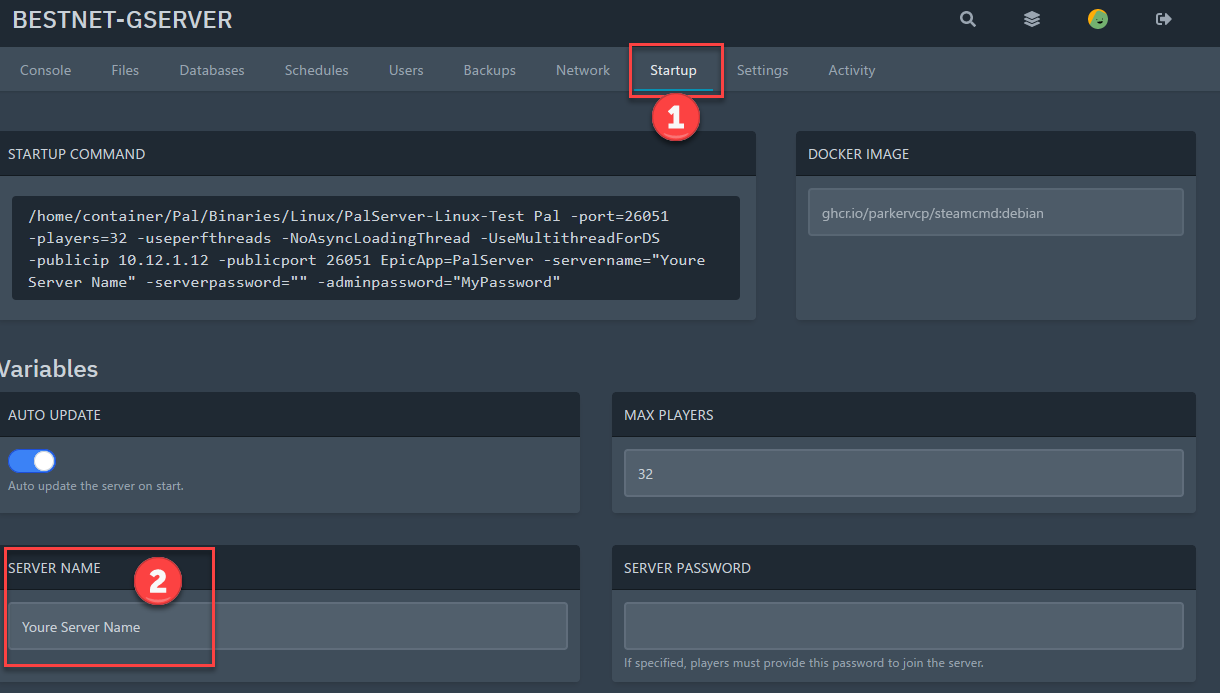
Navigate to the ‘Startup’ tab and enter your preferred server name in the ‘SERVER NAME’ field.
5. Server Restart
You need to restart the server for the settings to take effect.
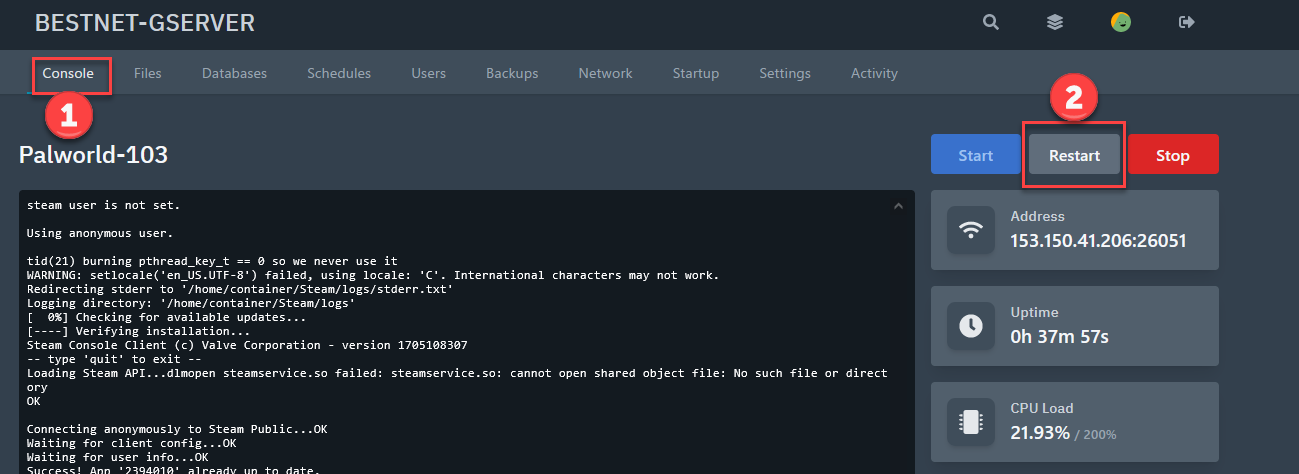
Navigate to the ‘Console’ tab and click the ‘Restart’ button.
If you have any other questions, please submit a ticket.
prices
Representative Pricing Plans
MINECRAFT
30-day money-back guarantee and 14-day free trial period for first purchase only
- CPU 2core
- Memory 4GB
- SSHD 30GB
- BACKUP 3
- IP Address 1
- File Upload OK
- DDOS PROTECT
Palworld
30-day money-back guarantee
- CPU 8core
- Memory 32GB
- SSHD 15GB
- BACKUP 3
- IP Address 1
- File Upload OK
- DDOS PROTECT
Ark Survival Evolved
30-day money-back guarantee
- CPU 2core
- Memory 8GB
- SSHD 30GB
- BACKUP 3
- IP Address 1
- File Upload OK
- DDOS PROTECT
- CHANGE MAP OK