Game server features developed by BESTNET
Clear pricing.More control over your server.
Straightforward pricing, a choice to move your server, environment notices and automatic blocking of attack sources. Built by BESTNET to support the way you play.
- ✓No long-term lock-in or minimum term
- ✓No cancellation fee. Cancel any time
- ✓Plan changes settle only the difference
BESTNET ORIGINAL
Three ways to make server management easier.
What you can control, what your panel tells you and what we handle behind the scenes—designed with everyday use in mind.
01One-Click Server Optimization
Choose when
to move your server.
When your current machine is busy and a destination with more headroom is available, a prompt appears in the panel. Move your server while keeping your world data and settings.
Available for eligible servers when the required conditions are met. Your server stops temporarily during the move, and its connection address changes afterwards.
How it works02Server environment
Environment notices.
Right in your panel.
See temporary equipment interruptions detected by our monitoring and maintenance notices registered by our team at the top of your server's panel.
Nothing is displayed when there is no notice. This feature does not diagnose every cause of in-game problems.
How it works03BASTION integration
Attack sources.
Blocked automatically.
Our own BASTION system connects monitoring with automatic blocking of traffic from sources identified as attacks at the entrance to our game servers. No application or settings changes are needed.
Introduced after checking that it would not affect customers' play. It does not prevent every type of attack.
Read about our approachPopular Game Servers

Palworld
$ 6.57
/month

RuneScape: Dragonwilds
$ 6.57
/month
New ReleaseWindrose
$ 7.91
/month
popularMinecraft
Free
/month
All Available Games
BUILT AROUND YOUR GAME
Small improvements.
Made for each game.
We refine settings and guidance, and record the changes in each game's improvement history.
7 Days to Die
Switch crossplay on or off from the panel.
Crossplay was already supported. On new servers, it can now be turned on or off from the panel instead of editing the configuration file directly.
Game-by-game improvement history
See what has changed,
whenever you need to.
Each game's page records improvements to its features and usability. Choose your game to explore its improvement history.
- 01Review how it works
- 02Improve features & guidance
- 03Record the changes
BESTNET Game Server
Included with every plan
No perks reserved for higher plans, and no paid add-ons bolted on later. Everything below works on any plan.
Ready the moment you order
Automatic setup
Your server is built automatically after you order and handed over ready to use.
High performance
Built on durable server-grade hardware. If you outgrow your specs, you can change them without losing data.
DDoS protection
A system that defends against DDoS attacks keeps your play environment stable.
Your server, your way

File browser
Edit and upload configuration files directly from the game panel.
Learn more →Schedules

Run backups and restarts automatically at the times you choose.
Learn more →Backups
Keep 3 to 30 generations depending on your plan, and restore from the game panel.
Learn more →FTP access
FTP is supported, so migrating from another host or moving large sets of files is straightforward.
Learn more →Easy upgrade / downgrade
Change specs in minutes without losing data. Billing settles the difference, so you can raise specs just for the days you need.
Learn more →Keep playing with peace of mind

Manage with others
Register a friend’s email address and grant panel access. Permissions can be limited or full.
Learn more →Two-factor authentication
Two-factor authentication can be enabled on the game panel.
Learn more →Languages from around the world
The game panel display language can be set to Japanese, English, Korean, Chinese and more.
Learn more →Fast, multilingual support
Our engineers respond. Support tickets are also handled in Korean, Chinese and English.
User Friendly
Everything you need,
on one screen.
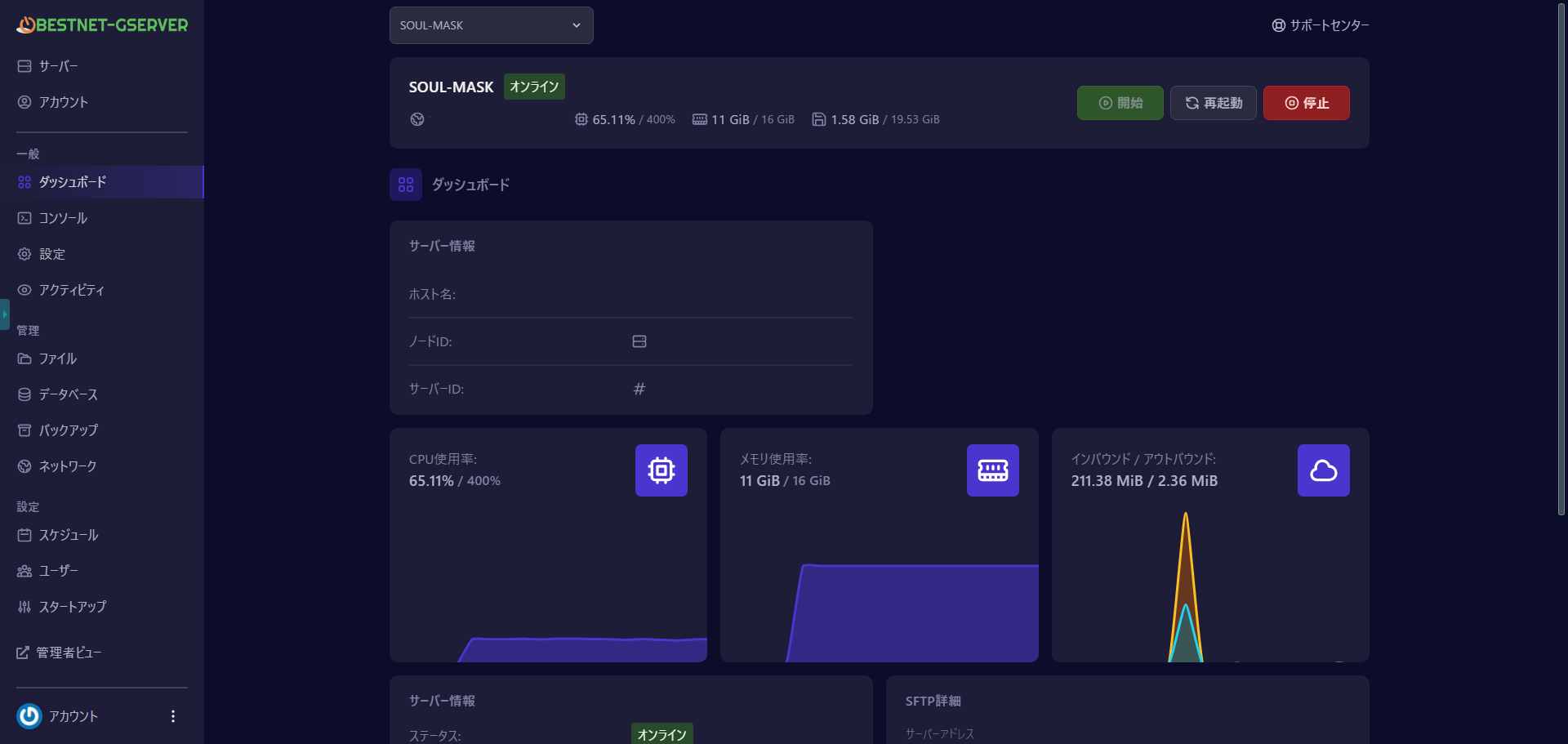
Starting and stopping, editing config files, taking backups, sharing access — the operations you need are gathered in the game panel. There are no commands to memorise.
- Japanese, English, Korean, Chinese and many other display languages
- When things get busy, a prompt appears and one click moves you to a server with more headroom
- File editing, schedules, backups and two-factor authentication, all in one place
- A “Server environment” notice at the top of your server’s screen tells you about temporary interruptions or planned maintenance on the systems
Frequently Asked Questions
Where are the servers located?
Are there any cancellation fees if I terminate the contract early?
Can I bring over my configuration data when migrating from a home server?
We are beginners, but can you provide support?
Please feel free to contact us if you need assistance, such as when installing new mods or if your server crashes.