
Upgrading / Downgrading Game Servers
From the client portal you can change your plan (scale up or down) without stopping your server. Scale up only when it's busy and scale down during idle periods to save costs — flexible operation is fully supported.
The screenshots in this article are shown in English. In actual use, the portal is displayed in your native language (Japanese, Korean, Chinese, or English) based on the country code of your access IP.
What is upgrading / downgrading?
Our game servers can be easily upgraded (scaled up) or downgraded (scaled down) from the client portal. No server restart is required — the change is applied while the server keeps running.
This means you can scale up only when concurrent connections increase and scale down to save costs during periods of non-use — flexible usage to match your needs.
- A prorated amount for the remaining usage period at the time of the change is calculated: upgrades are billed the difference, while downgrades are refunded the difference to your deposit.
- Prorated refunds for downgrades are issued only to the deposit in your client portal account.
How to do it
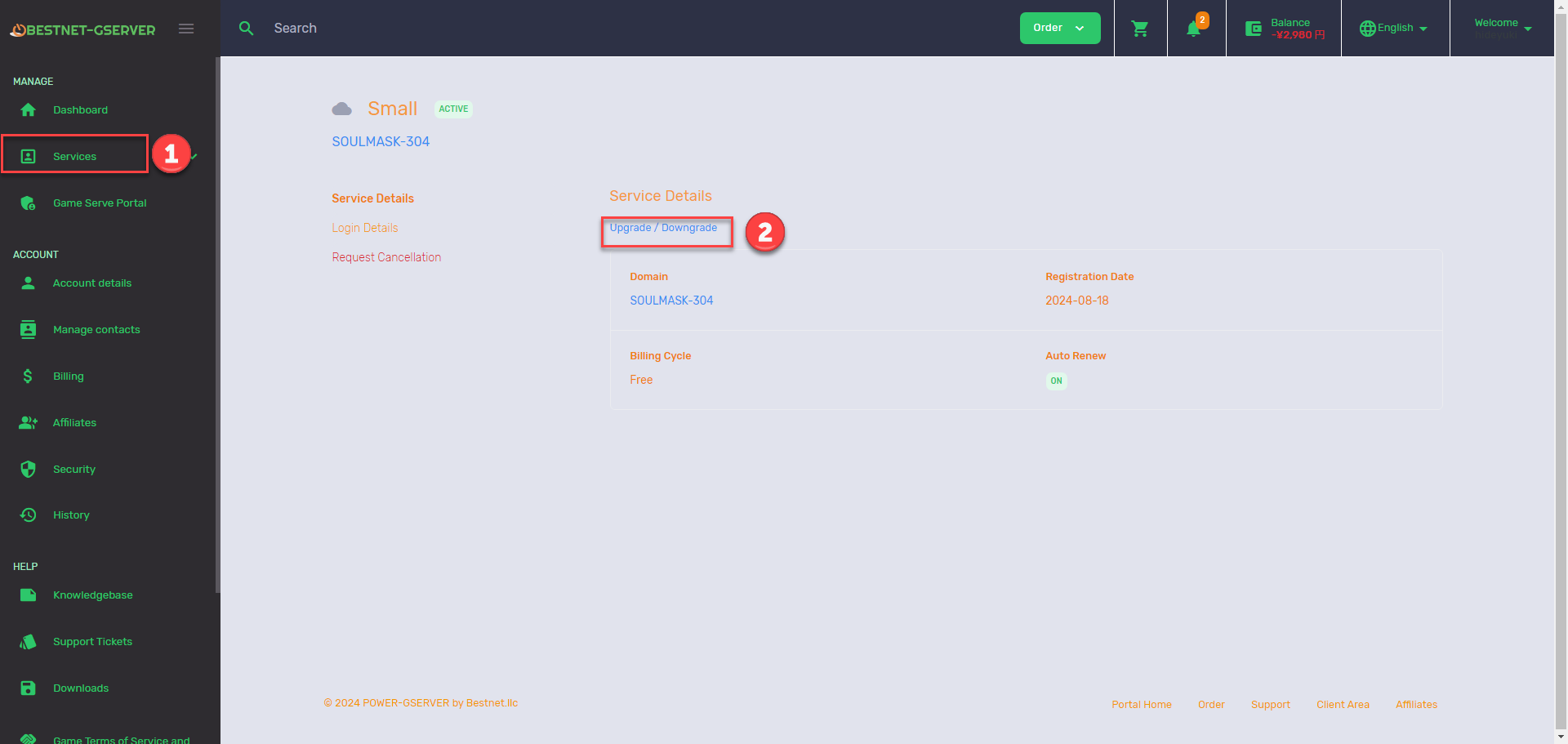
- From Services in the client portal, select the target server instance.
- On the service overview page, click the Upgrade / Downgrade button.
- On the next screen, select a plan and click Continue.
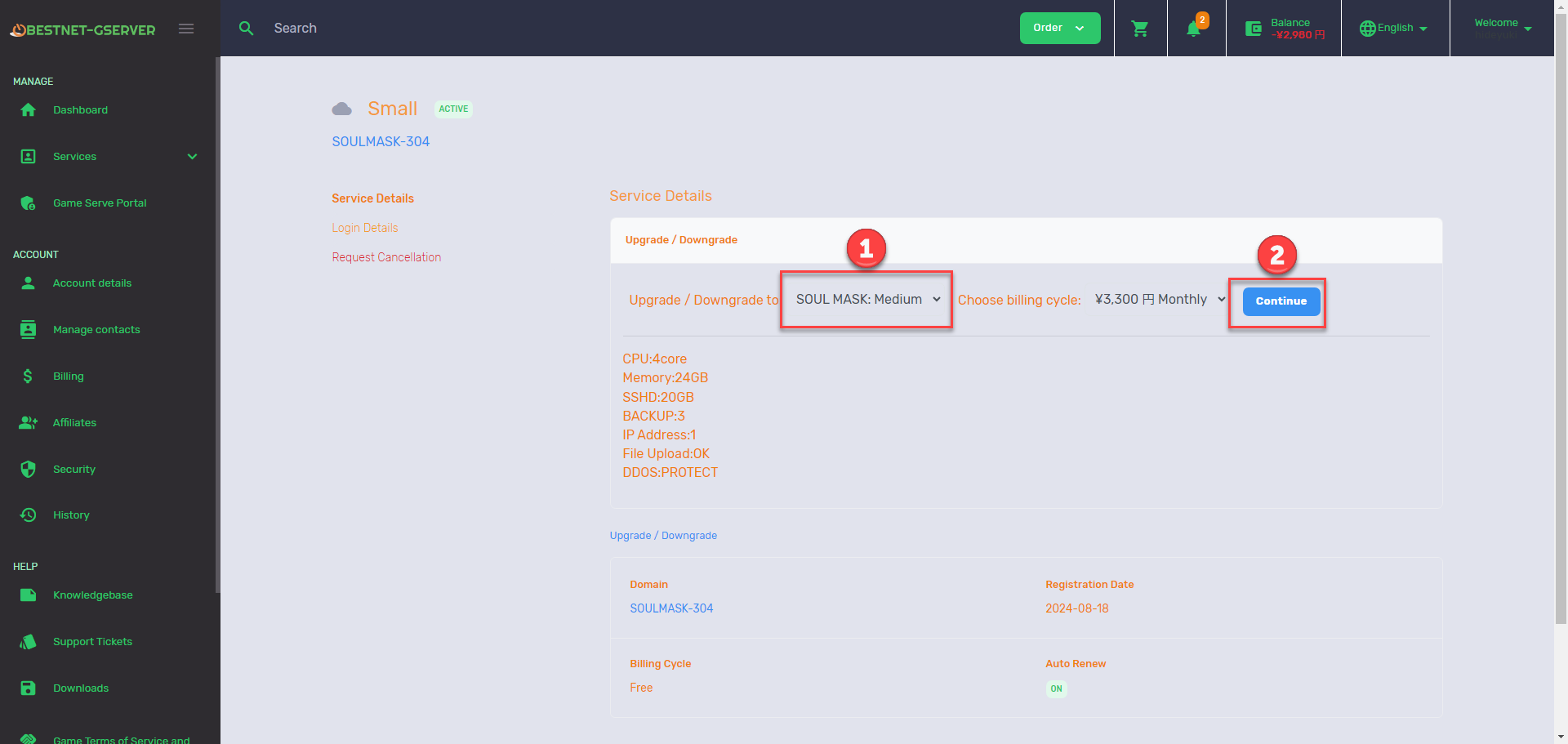
- For upgrades: a payment screen appears. Once payment is complete, the server is scaled up.
- For downgrades: a prorated refund for the remaining period is processed, and the server is scaled down.


