
Overview
Administrators can customize game difficulty in Myth of Empires to provide players with a challenging experience.
Settings affect elements such as wildlife and human NPCs, impacting the overall intensity of gameplay.
By adjusting these difficulty settings, server administrators can create unique environments within the vast multiplayer war sandbox game that cater to various playstyles and preferences.
How to Edit Game Difficulty on a Myth of Empires Server
1. Log in to the Game Panel at https://gsv.bestnetllc.co.jp/.
2. Stop the server.

3. Go to the [Startup] tab, which is the third from the top right.

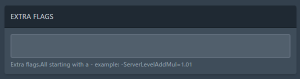
4. In the [EXTRA FLAGS] field, enter the following with your desired value: -MapDifficultyRate=1
| Note | The minimum and default difficulty value is 1 and the maximum value is 100. |
| Note | Multiple additional flags should be separated by spaces. |
5. Start the server.


