
Contents
- How to Set a Conan Exiles Server to Private
- 1. Prerequisites
- 2. Revision History
- 3. Table of Contents
- 4. Obtaining a Backup
- 5. How to Set a Conan Exiles Server to Private
- 5.1 Open 'ServerSettings.ini' Using the File Browser in the Game Panel
- 5.2 Press Ctrl+F on the Opened File and Search for ServerPassword
- 5.3 Set Your Desired Password and Click the 'SAVE CONTENT' Button
- 6. Restart the Server to Apply the Settings
How to Set a Conan Exiles Server to Private
1. Prerequisites
Please log in to the Game Panel.
For instructions on how to log in to the Game Panel, please see here
2. Revision History
- 1.0:
- Creation Date: 2024/1
- Update Content: Initial Version
- Created by: BESTNET-GSERVER
3. Table of Contents
- 1. Prerequisites
- 2. Revision History
- 3. Table of Contents
- 4. Obtaining a Backup
- 5. How to Set a Conan Exiles Server to Private
- 5.1 Open ‘ServerSettings.ini’ Using the File Browser in the Game Panel
- 5.2 Press Ctrl+F on the Opened File and Search for ServerPassword
- 5.3 Set Your Desired Password and Click the ‘SAVE CONTENT’ Button
- 6. Restart the Server to Apply the Settings
4. Obtaining a Backup
Please obtain a backup before performing this work.
Backups can be easily created from the Game Panel and can be restored with a single click.
Please refer to the following.
Backup Acquisition Instructions are Here
5. How to Set a Conan Exiles Server to Private
By setting a password on the server, you can create a server limited to friends only.
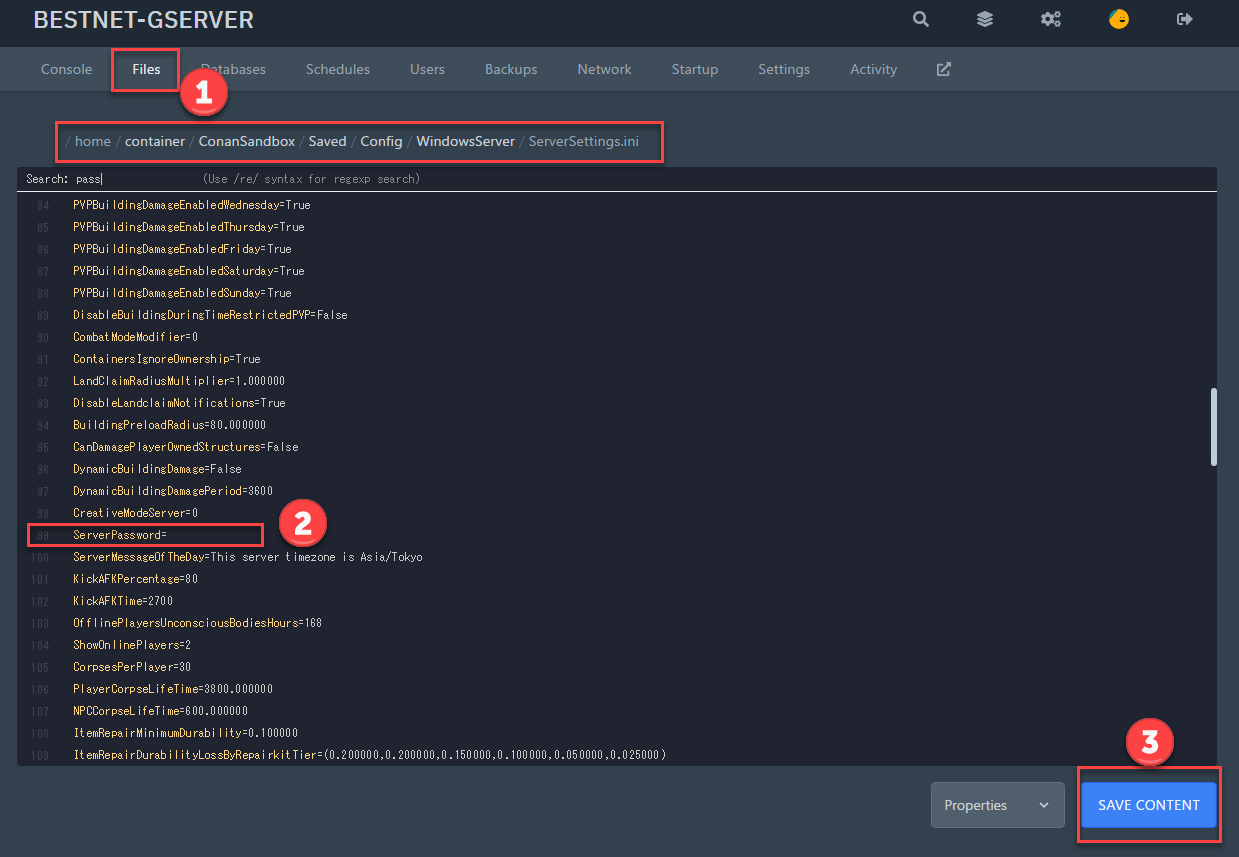
5.1 Open ‘ServerSettings.ini’ Using the File Browser in the Game Panel
Location = /ConanSandbox/Saved/Config/WindowsServer/ServerSettings.ini
5.2 Press Ctrl+F on the Opened File and Search for ServerPassword
It is normally located on line 99.
5.3 Set Your Desired Password and Click the ‘SAVE CONTENT’ Button
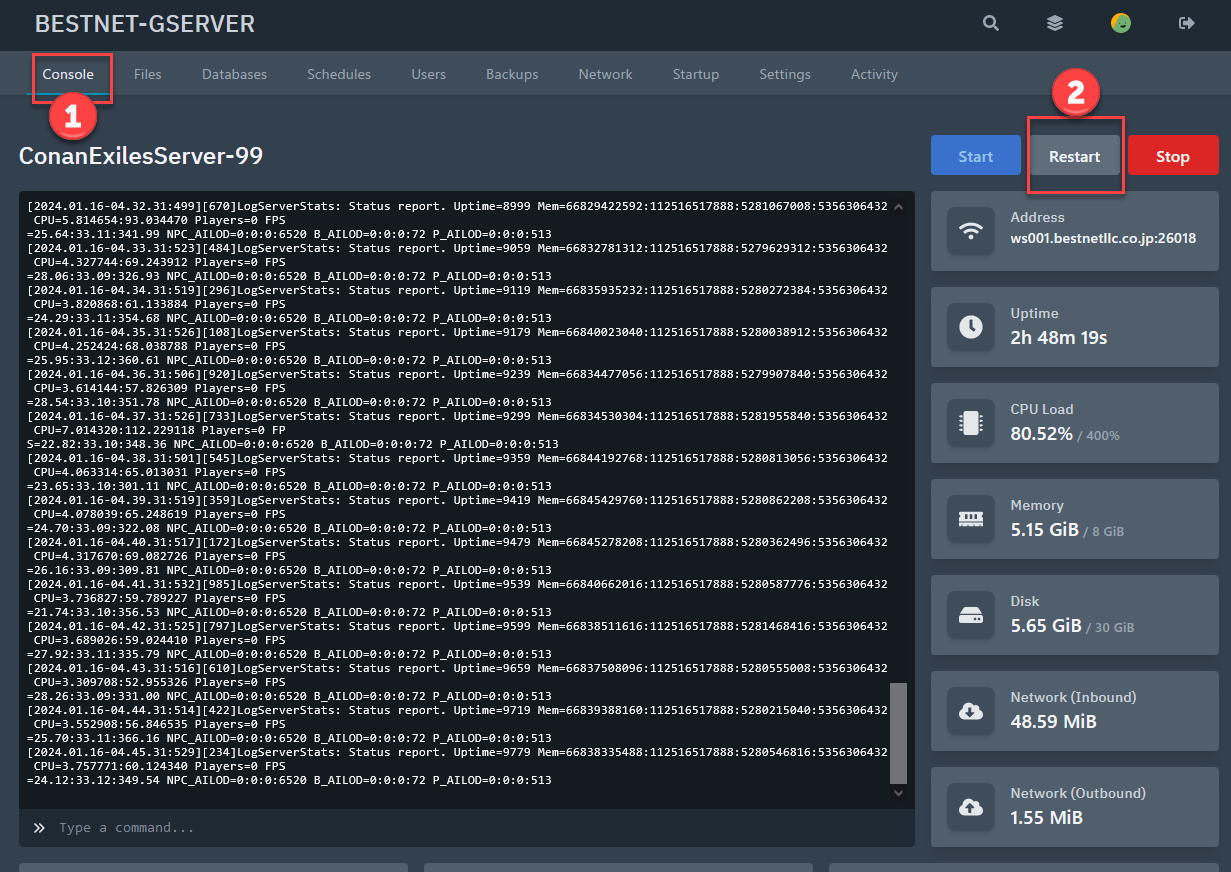
6. Restart the Server to Apply the Settings
You need to restart the server to apply the changes made.
If you have any other questions, please submit a ticket.


