
Overview
In Myth of Empires, the kick command is a tool that administrators can use to promptly remove players from the game.
This command addresses rule violations and disruptive behavior, balances player counts, and handles technical issues caused by specific players.
The kick command functions as a temporary measure, allowing administrators to maintain order in the multiplayer war sandbox game and quickly enforce server rules and standards.
How to Kick a Player on Myth of Empires Server (In-Game)
1. Press theEscape key on your keyboard and selectServer Settings.

2. Navigate to the [Player] tab.
3. Select the desired player on the left side.
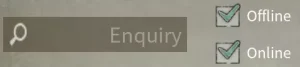
4. Click [Offline] on the right side.ESC



