Home
Game Servers
Locations
Support
Knowledge Base
FAQ
Contact
News
Company
Display Based on the Specified Commercial Transaction Act
About Us
Affiliates
Client Portal
G
A
M
E
P
A
N
E
L
Home
Game Servers
Locations
Support
Knowledge Base
FAQ
Contact
News
Company
Display Based on the Specified Commercial Transaction Act
About Us
Affiliates
Client Portal
View Categories
Home
Game-Server Wiki
Game Panel
How to set the game panel language to Korean
How to set the game panel language to Korean
1. Select Account
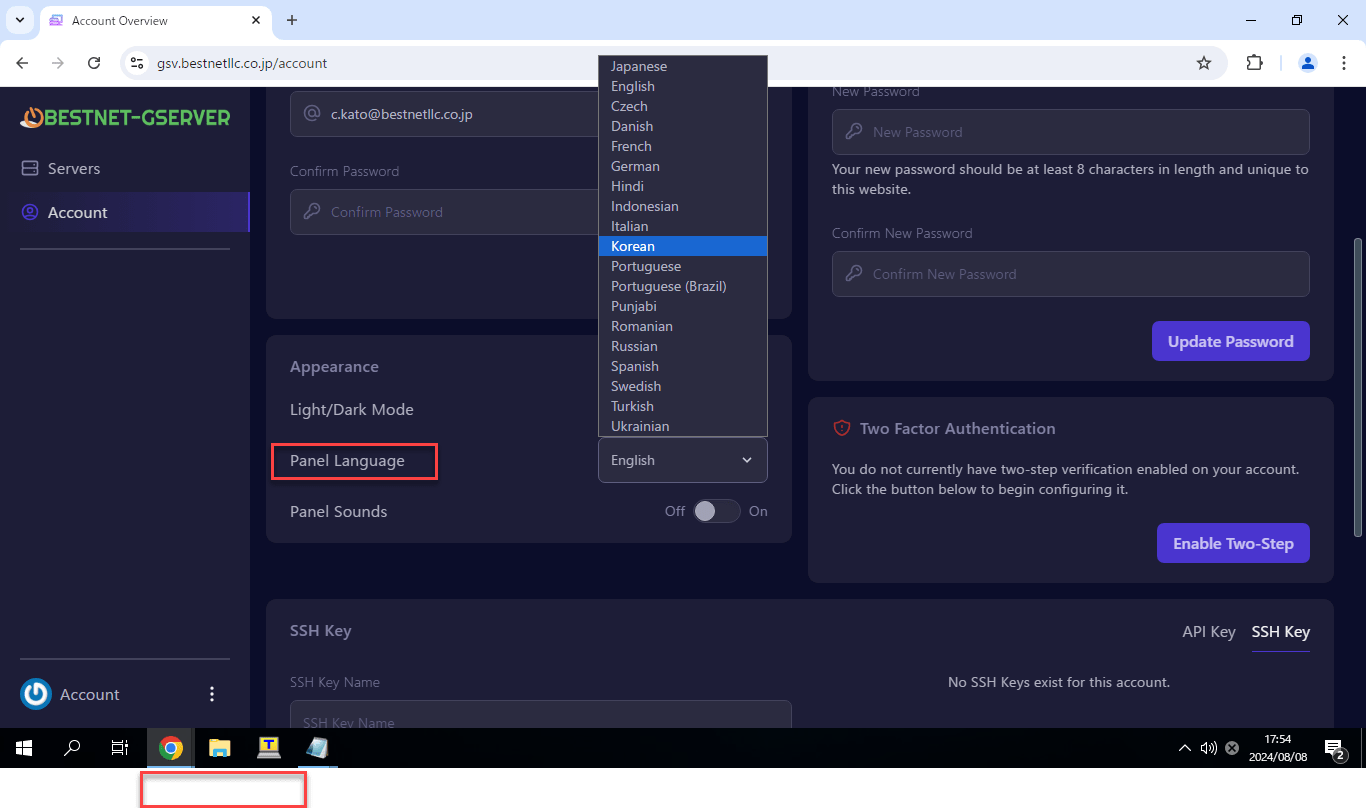
2. Select Korean from Panel Language
The display will change with this.
How to Change the Game Panel Language Setting to Japanese
How to Change the Game Panel Display Language to Chinese
Scroll to top
EN
日本語
English
✓
한국어
简体中文
繁體中文