
Overview
Myth of Empires administrators play a crucial role in maintaining order on the server and enhancing the overall gaming experience.
As server supervisors, administrators enforce rules, address player concerns, and ensure fair play to create a positive and enjoyable community atmosphere.
Additionally, in this multiplayer war sandbox game, administrators may also be responsible for implementing updates and changes to improve “event management, conflict resolution, and server environment.”
| Requirements |
| A SteamID64 is required. Please follow this tutorial to find your SteamID64. |
How to Add an Administrator to a Myth of Empires Server
1. Log in to https://gsv.bestnetllc.co.jp/ Game Panel.
2. Stop the server.

3. Navigate to the [Startup] tab, which is the third from the top right.

4. Enter the SteamID64 of the desired administrator in the [ADMIN ID’S] field.
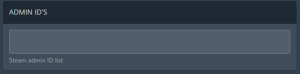
| Note | Multiple administrators are separated by a semicolon (;). |
5. Start the server.
How to Access Administrator Commands (In-Game)
1. Press the tilde key (`) on your keyboard to open the console.
| Command | Description |
Cheat Fly | Allows the administrator to fly. |
Cheat Walk | Disables the fly feature. |
Cheat SaveWorld | Saves the current world to the server. |
Cheat Ghost | Allows the administrator to pass through objects. |
Cheat God | Makes the administrator invincible. |
Cheat Hide | Hides the administrator. |
Cheat KickOff <SteamID64> | Kicks the desired player. |
Cheat GotoPlayer <SteamID64> | Teleports to the desired player. |
Cheat PullPlayer <SteamID64> | Teleports the desired player to the administrator. |
Cheat KillPlayer <SteamID64> true | Kills the desired player and drops all items. |
Cheat KillPlayer <SteamID64> false | Kills the desired player and does not drop items. |
Cheat EmptyPlayerInventory <SteamID64> | Removes all items from the desired player’s inventory. |
Cheat AttachPlayerForWatch <SteamID64> | Allows the administrator to observe the desired player. |
Cheat GotoPosition <x> <y> <z> | Teleports to the desired location. |
Cheat setTime <time> | Sets the server time in 24-hour format. |
2. Press the Escape (ESC) button on your keyboard and select “Server Settings”.

| Note | The Server Settings button is only displayed if the player is an administrator. |


