How to Edit the Setting to Clear Infection on Death in HumanitZ Server
1. Log in to the Game Panel.
2. Stop your server.

3. Navigate to the [Start up] tab.

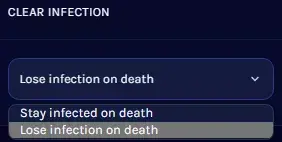
4. From the [CLEAR INFECTION] field, select the desired value.
5. Start your server.


How to Edit the Setting to Clear Infection on Death in HumanitZ Server
1. Log in to the Game Panel.
2. Stop your server.
3. Navigate to the [Start up] tab.
4. From the [CLEAR INFECTION] field, select the desired value.
5. Start your server.


