
How to Change the ARMA3 Server Entry Password and Maximum Player Count
1. Prerequisites
Please log in to the Game Panel.
For information on how to log in to the Game Panel, please refer to here
2. Revision History
- 1.0:
- Created: 2024/1
- Update Details: Initial version
- Author: BESTNET-GSERVER
3. Table of Contents
- 1. Prerequisites
- 2. Revision History
- 3. Table of Contents
- 4. Setting an Entry Password on the Server
- 4.1 Server Restart
- 5. How to Change the Maximum Player Count for ARMA 3 Server
- 5.1 Server Restart
4. Setting an Entry Password on the Server
You can easily change this from the Game Panel.
By setting a password, you can use the server privately, such as limiting it to friends only.
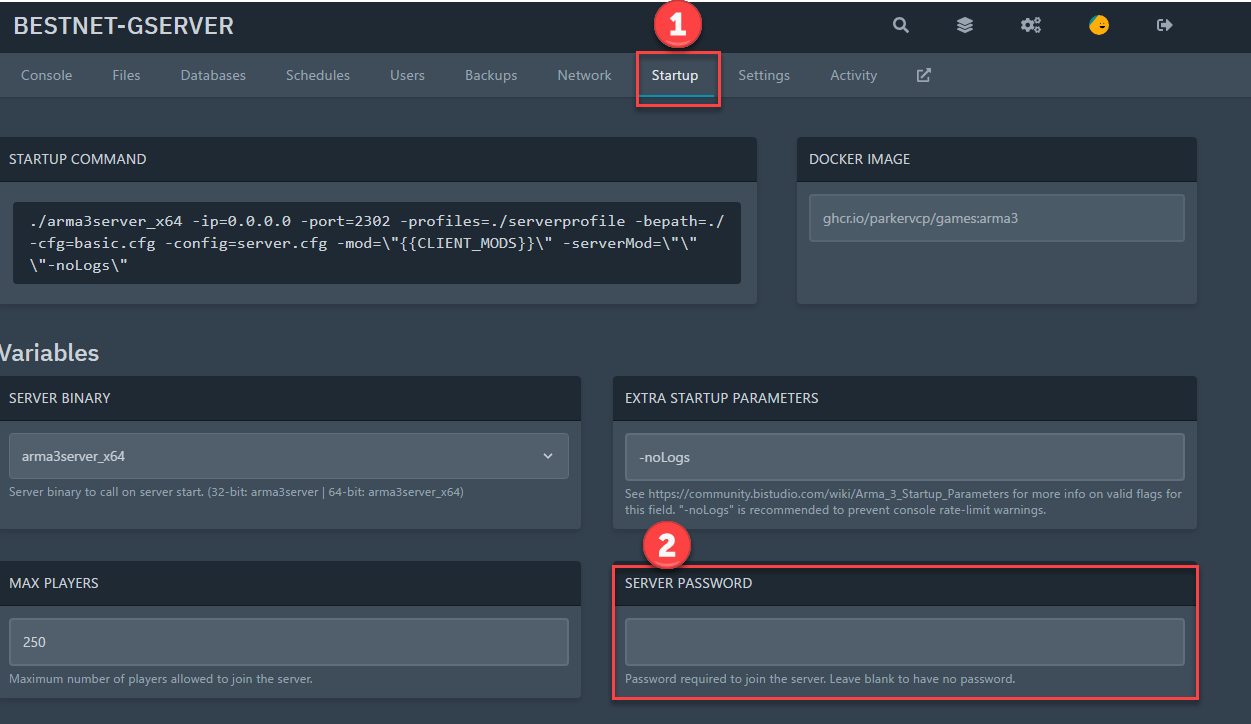
Click the ‘Startup’ tab in the Game Panel and enter any password in the ‘SERVER PASSWORD’ field.
Please refer to the sample image below.
4.1 Server Restart
To apply the entered password, you need to restart the server.
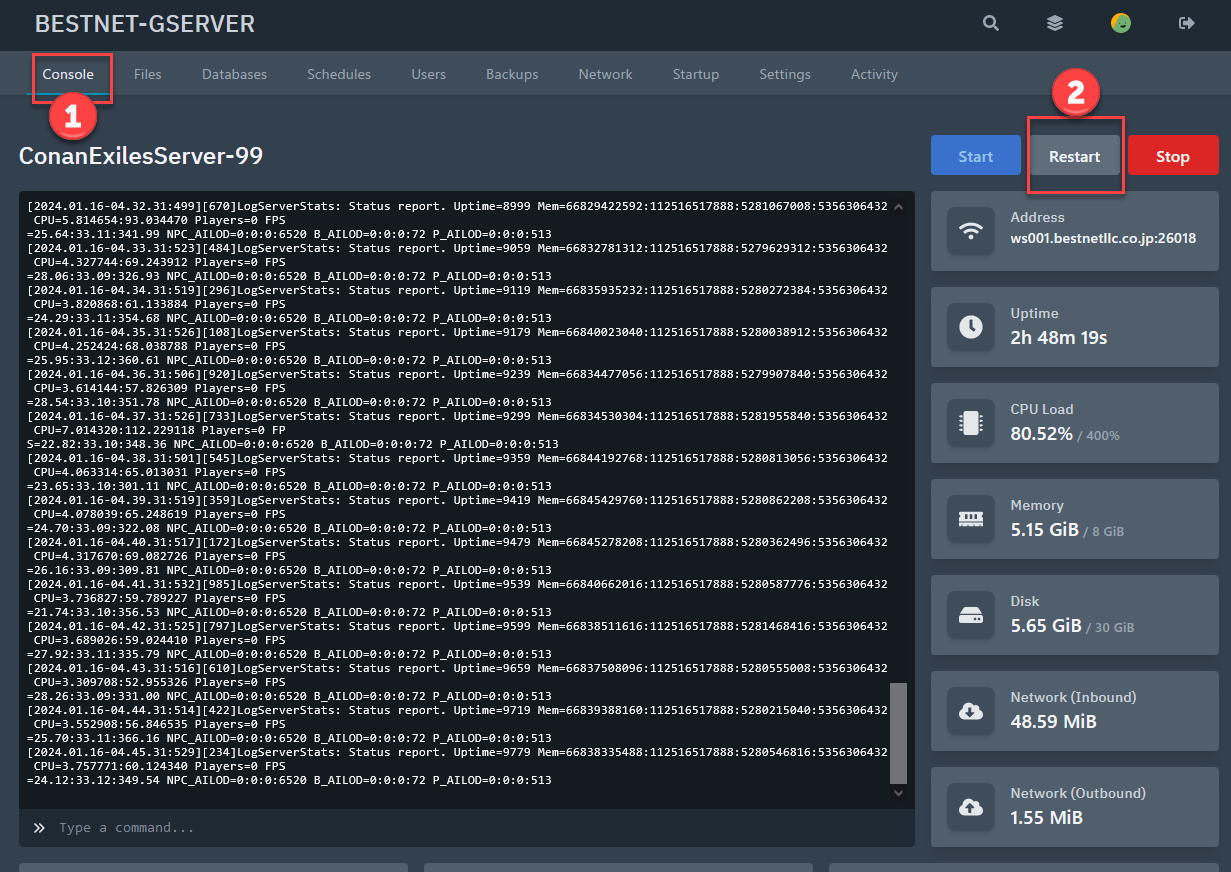
Click the ‘Console’ tab and then click the ‘Restart’ button to restart the game server.
5. How to Change the Maximum Player Count for ARMA 3 Server
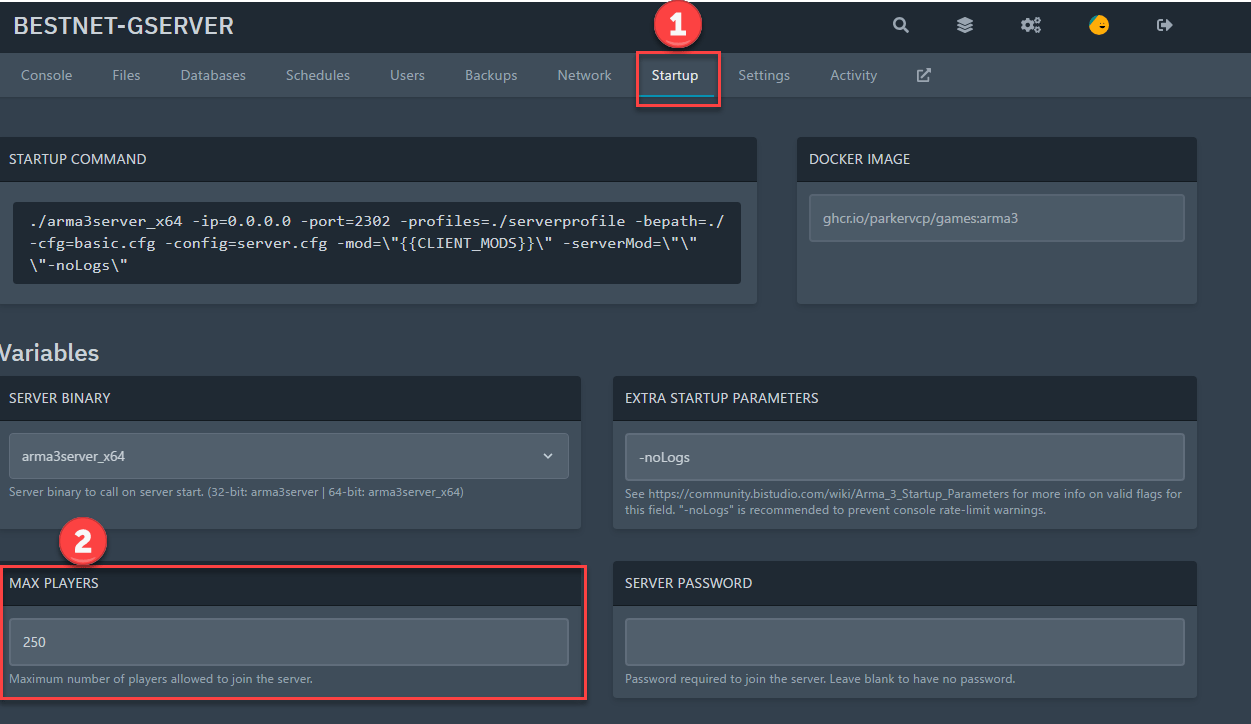
Click the ‘Startup’ tab in the Game Panel and change the value in ‘MAX PLAYERS’ to your desired number.
Below is a reference image.
5.1 Server Restart
To apply the entered password, you need to restart the server.
Click the ‘Console’ tab and then click the ‘Restart’ button to restart the game server.
If you have any other questions, please submit a ticket.


