目次
Palworld – How to Change Server Difficulty
1. Prerequisites
Please log in to the Game Panel. For instructions on how to log in to the Game Panel, please refer to here.2. Revision History
- 1.0:
- Created: 2024/1
- Update Details: Initial version created
- Author: BESTNET-GSERVER
3. Table of Contents
- 1. Prerequisites
- 2. Revision History
- 3. Table of Contents
- 4. Creating a Backup
- 5. Edit PalWorldSettings.ini
- 6. Restart the PALWORLD Server
4. Creating a Backup
Please create a backup before performing this operation. Backups can be easily created from the Game Panel and can be restored with a single click. Please refer to the following. Backup creation procedure is here.5. Edit PalWorldSettings.ini
You can easily configure this using the file browser in the Game Panel. Navigate to the ‘Files’ tab and click ‘DefaultPalWorldSettings.ini’ to open it. Since it can be difficult to locate, use Ctrl+F within the file to search for text. The following is an explanation of the parameters.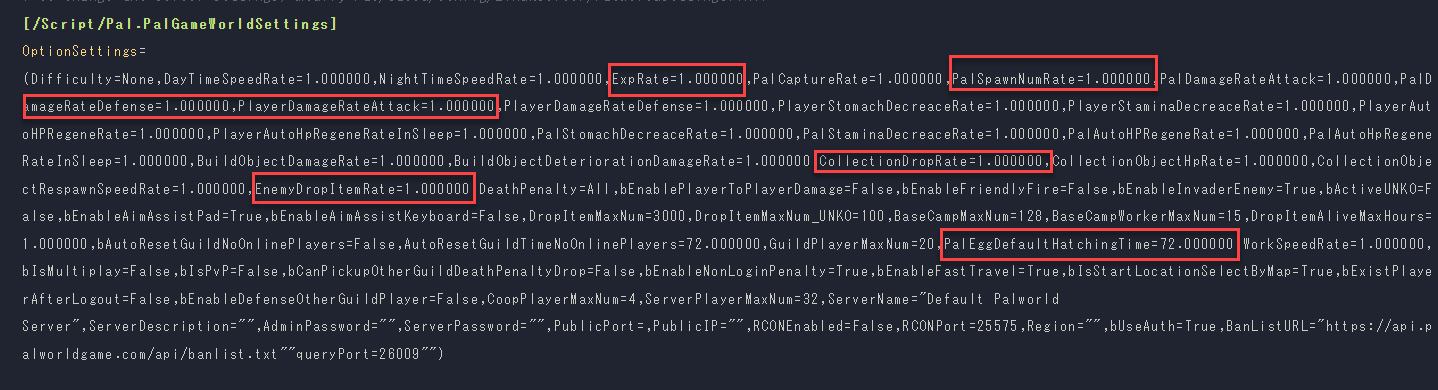
Setting | Casual | Normal | Difficult |
ExpRate | 1.3 | 1.0 | 0.8 |
PalCaptureRate | 2.0 | 1.0 | 0.8 |
PlayerDamageRateAttack | 1.5 | 1.0 | 0.5 |
PlayerDamageRateDefense | 0.7 | 1.0 | 4.0 |
CollectionDropRate | 2.0 | 1.0 | 0.5 |
EnemyDropItemRate | 2.0 | 1.0 | 0.5 |
PalEggDefaultHatchingTime | 0.0 | 2.0 | 72.0 |
6. Restart the PALWORLD Server
You need to restart the server to apply the configuration changes. Navigate to the ‘Console’ tab and click the ‘Restart’ button.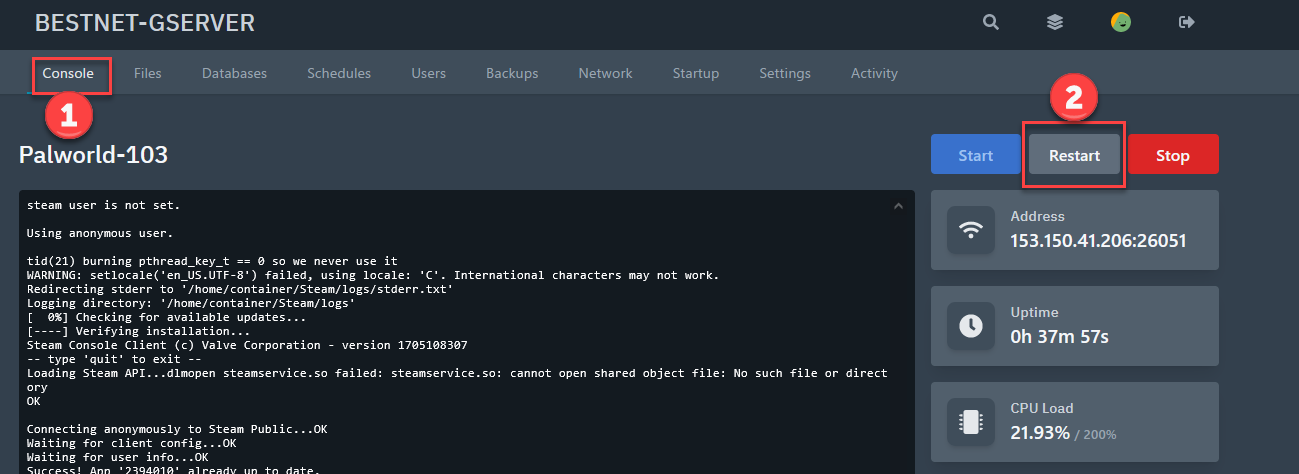 If you have any other questions, please submit a ticket.