Home
Game Servers
Locations
Support
Game server Wiki
FAQ
Contact
News
Company
特定商取引法に基づく表示
About Us
Affliate
Client Portal
G
A
M
E
P
A
N
E
L
Home
Game Servers
Locations
Support
Game server Wiki
FAQ
Contact
News
Company
特定商取引法に基づく表示
About Us
Affliate
Client Portal
View Categories
Home
Game-Server Wiki
HumanitZ
HumanitZサーバーに参加する方法
HumanitZサーバーに参加する方法
目次
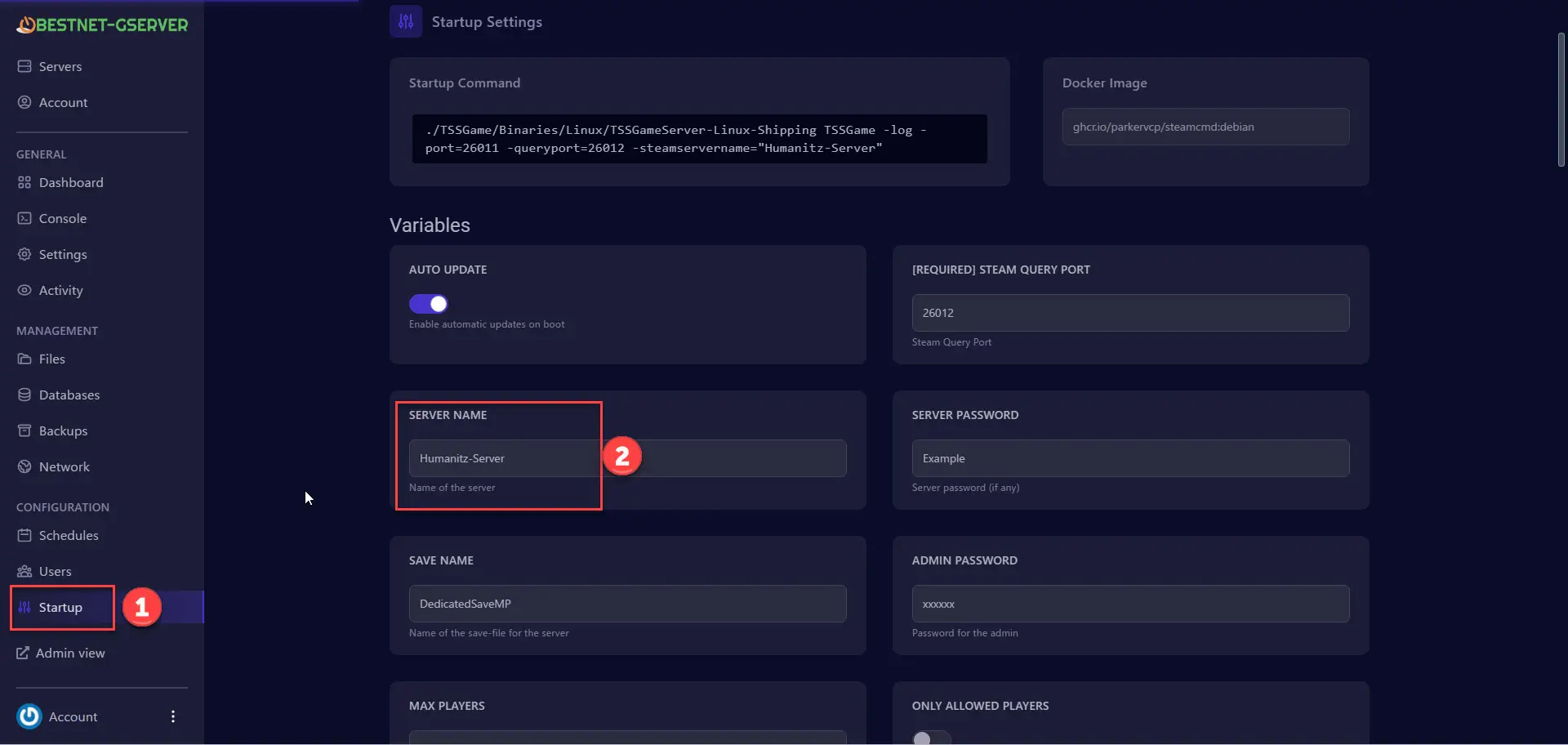
HumanitZサーバーに参加する方法 1.ゲーム パネルにログインします。
2. [Start up] タブに移動します。
3.「SERVER NAME」を書き留めます。
4. HumanitZを起動します。
5. [マルチプレイヤー]を選択します。
6.右下で、手順3のサーバー名を入力します。
7. サーバーに接続をクリックします。
V Rising Server
Satisfactory Server
7Days to Die Server
Enshrouded
HumanitZ
SOUL MASK
7Days to Die
V Rising
Myth of Empires
PALWORLD
RUST
Valheim
ARMA3
Project Zomboid
Conan Exiles
HumanitZサーバーに参加する方法
1.
ゲーム パネル
にログインします。
2.
[Start up
] タブに移動します。
3.
「SERVER NAME」
を書き留めます。
4.
HumanitZ
を起動します。
5.
[マルチプレイヤー]
を選択します。
6.
右下で、手順3のサーバー名
を入力します。
7.
サーバーに接続を
クリックします。
HumanitZサーバーにパスワードを追加する方法
HumanitZでキャンプファイヤーを作る方法
Scroll to top