Home
Game Servers
Locations
Support
ナレッジベース
FAQ
Contact
News
Company
特定商取引法に基づく表示
About Us
Affiliates
Client Portal
G
A
M
E
P
A
N
E
L
Home
Game Servers
Locations
Support
ナレッジベース
FAQ
Contact
News
Company
特定商取引法に基づく表示
About Us
Affiliates
Client Portal
View Categories
Home
Game-Server Wiki
HumanitZ
HumanitZサーバーのサーバー名を変更する方法
HumanitZサーバーのサーバー名を変更する方法
Listen
0:00
/
0:04
1×
Copy page
Copy page
Copy this page as Markdown for LLMs
View as Markdown
Open this page as plain Markdown
(opens in a new tab)
Open in ChatGPT
Ask questions about this page
(opens in a new tab)
Open in Claude
Ask questions about this page
(opens in a new tab)
Open in Google AI Studio
Ask questions about this page (Google account required)
(opens in a new tab)
目次
HumanitZサーバーでサーバー名を変更する方法1. ゲーム パネルにログインします。
2. サーバーを停止します。
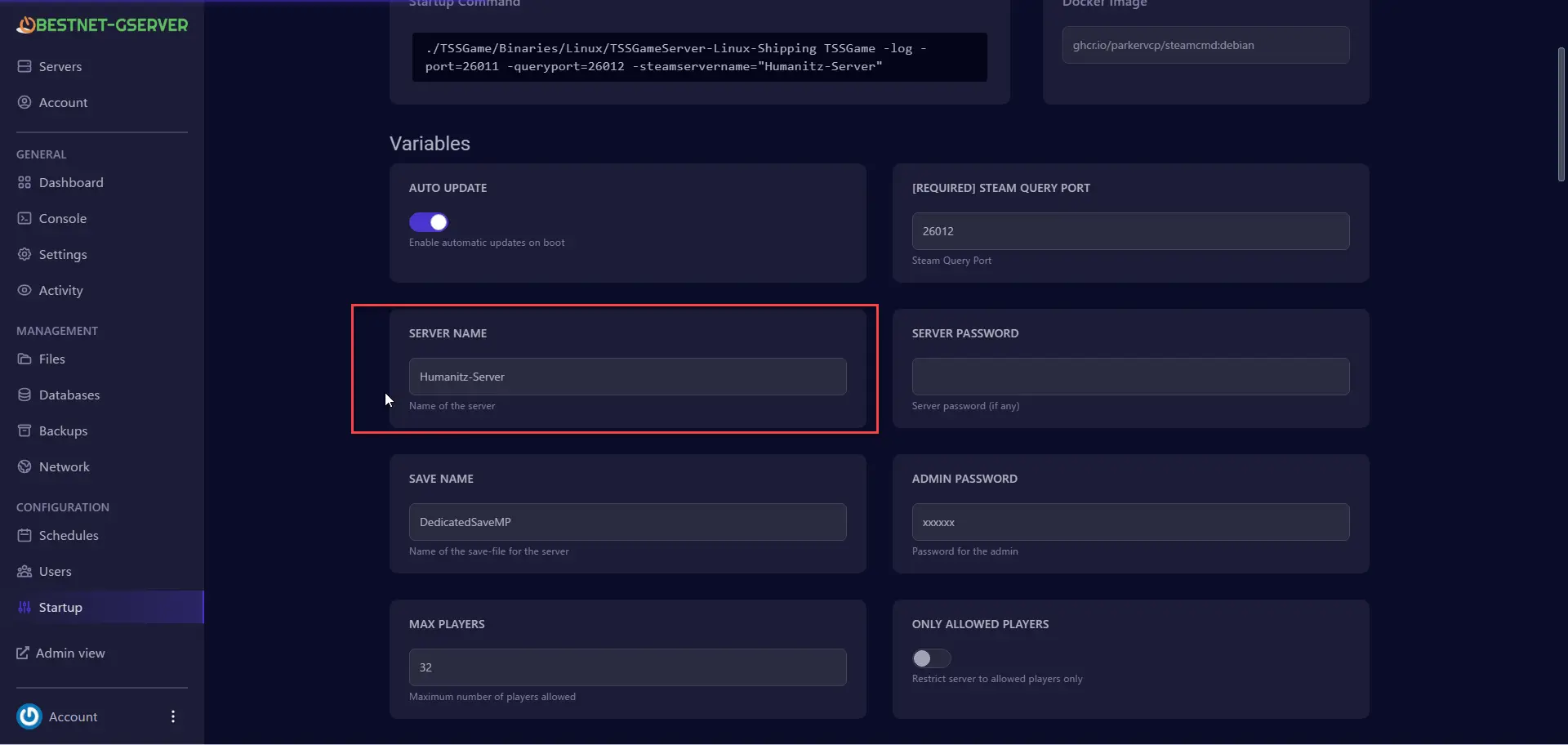
3. [Start up]タブに移動します。
4. [SERVER NAME]フィールドに、希望するサーバー名を入力します。
5. サーバーを再起動します。
HumanitZサーバーでサーバー名を変更する方法
1.
ゲーム パネル
にログインします。
2.
サーバーを
停止します。
3.
[Start up]
タブに移動します。
4.
[SERVER NAME]
フィールドに、
希望するサーバー名を入力します
。
5.
サーバーを再
起動します。
HumanitZサーバーで管理者アクセス権を付与する方法
HumanitZサーバーにパスワードを追加する方法
Scroll to top
JP
日本語
✓
English
한국어
简体中文
繁體中文