
Contents
How to Install Primitive+ Total Conversion Mod on ARK: Survival Evolved
1. Prerequisites
Please log in to the game panel. For instructions on how to log in to the game panel, please see here2. Revision History
- 1.0:
- Created: January 2024
- Update Content: Initial version
- Author: BESTNET-GSERVER
3. Table of Contents
- 1. Prerequisites
- 2. Revision History
- 3. Table of Contents
- 4. Creating a Backup
- 5. Uploading Mod Files
- 6. Configuring MODs to Load in Game
4. Creating a Backup
Please create a backup before performing any operations. Backup creation instructions are here5. Uploading Mod Files
You can upload using the file browser on the game panel or by connecting via FTP. Upload location: /ShooterGame/Content/Mods If uploading using the game panel’s file browser, click ShooterGame → Content → Mods in order in the file browser.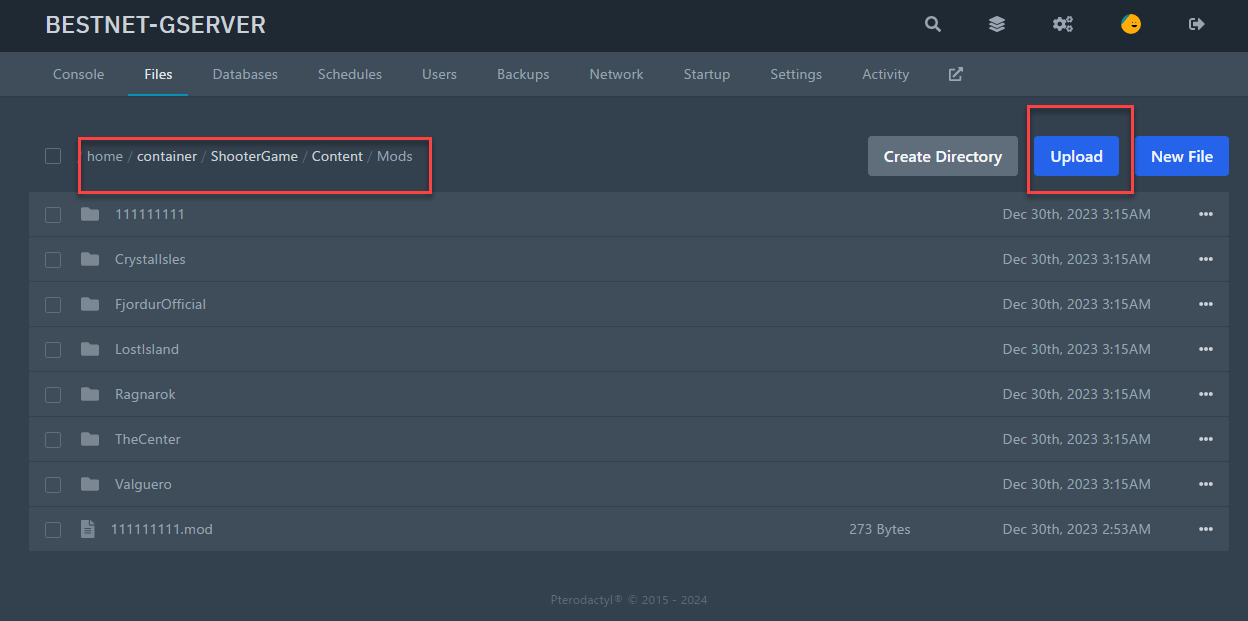 Instructions for FTP connection are hereWhen uploading using the file browser, compress the MOD files before uploading, then extract (Unarchive) them after upload.
6. Configuring MODs to Load in Game
You must edit the configuration file to ensure that the uploaded MOD is loaded by editing ‘GameUserSettings.ini’. Configuration file location: ShooterGame/Saved/Config/LinuxServer/GameUserSettings.ini Please also refer to the ARK wiki: https://ark.fandom.com/ja/wiki/サーバー構成For the MOD being installed this time, set ‘ActiveMods=111111111’.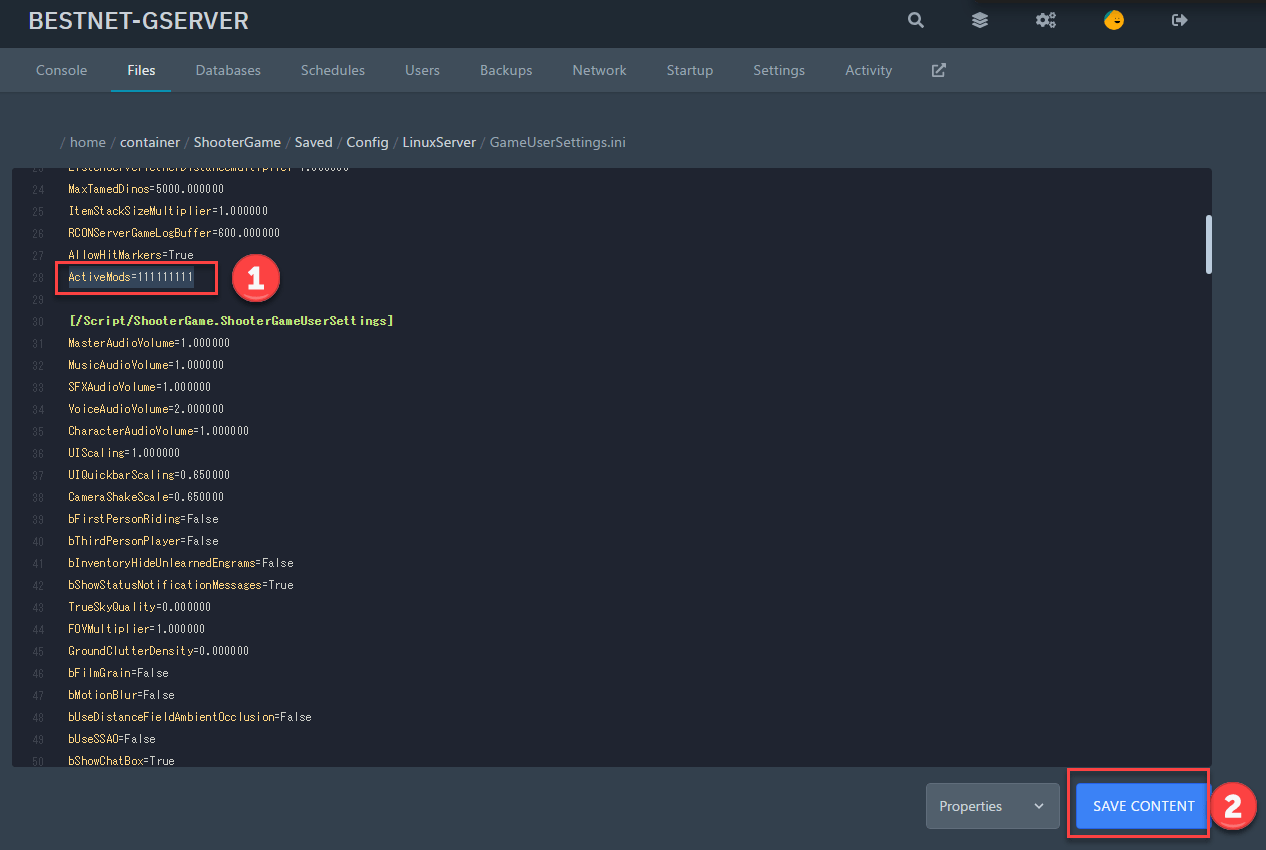 If you have any other questions, please submit a ticket.


