
How to Add MODs to ARMA 3 Server
1. Prerequisites
Please log in to the Game Panel.
For information on how to log in to the Game Panel, please see here
2. Revision History
- 1.0:
- Created: 2024/1
- Update Details: Initial creation
- Created by: BESTNET-GSERVER
3. Table of Contents
- 1. Prerequisites
- 2. Revision History
- 3. Table of Contents
- 4. Creating a Backup
- 5. Uploading MODs to ARMA3 Server
- 6. Configuring MODs to Load in Game
4. Creating a Backup
Please create a backup before performing the work.
Backups can be easily created from the Game Panel and restored with a single click.
Please refer to the following.
Backup creation procedures are here
5. Uploading MODs to ARMA3 Server
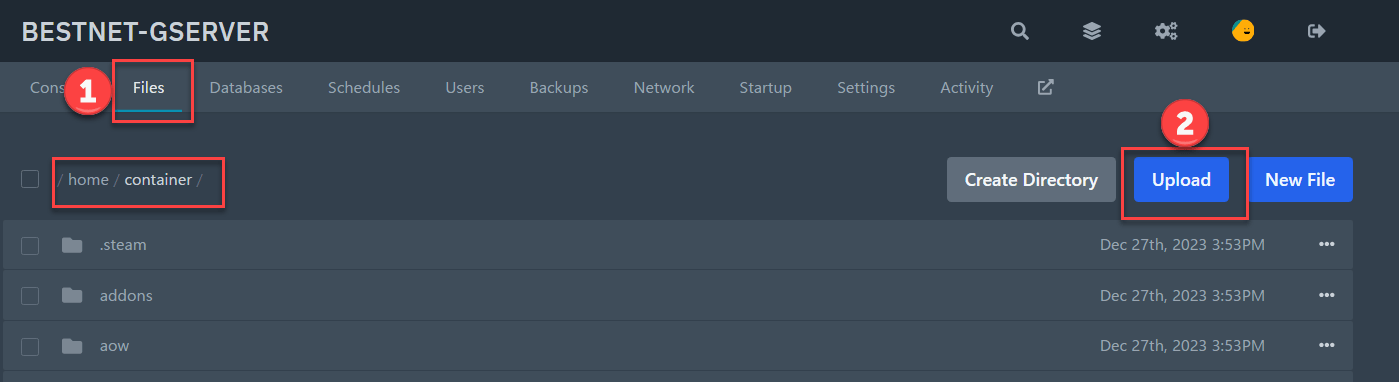
You can upload using the file browser on the Game Panel, or upload via FTP connection.
Upload location: /home/container
When using the file browser, please compress the MOD file before uploading, and extract (Unarchive) it after uploading.
FTP connection instructions are here
6. Configuring MODs to Load in Game
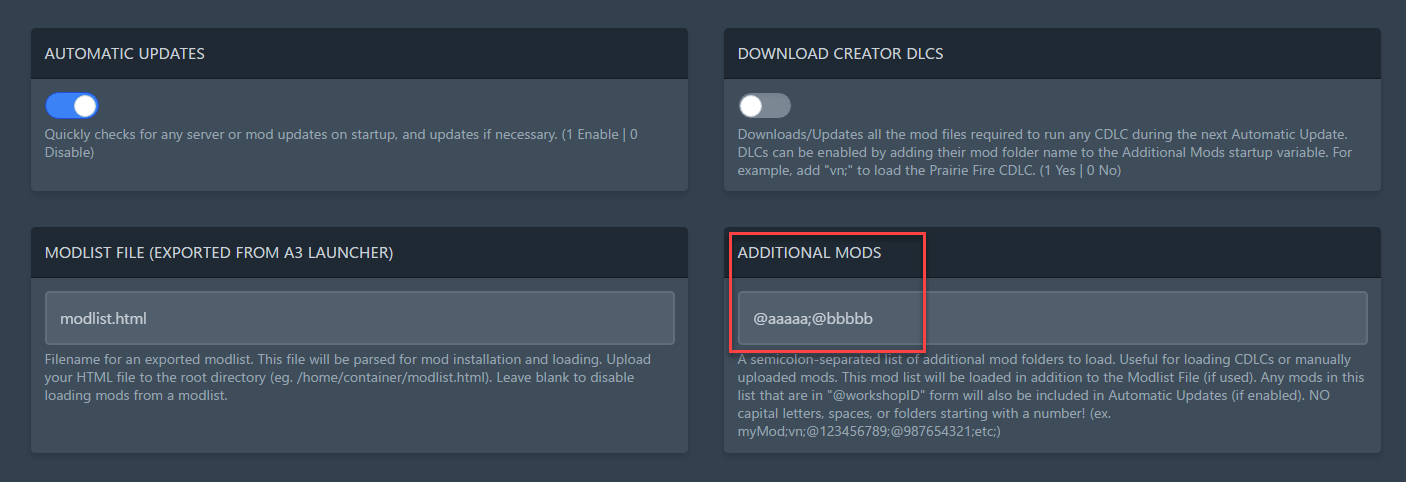
Click the ‘Startup’ tab in the Game Panel and enter the MOD name you want to load in the ‘ADDITIONAL MODS’ field.
Example: @MODNAME1;@MODNAME2
※Some MODs may have symbols, spaces, or uppercase letters in their names. In such cases, please remove the symbols and spaces, and convert uppercase letters to lowercase.※
The following is an input example.
If you have any other questions, please submit a ticket.


