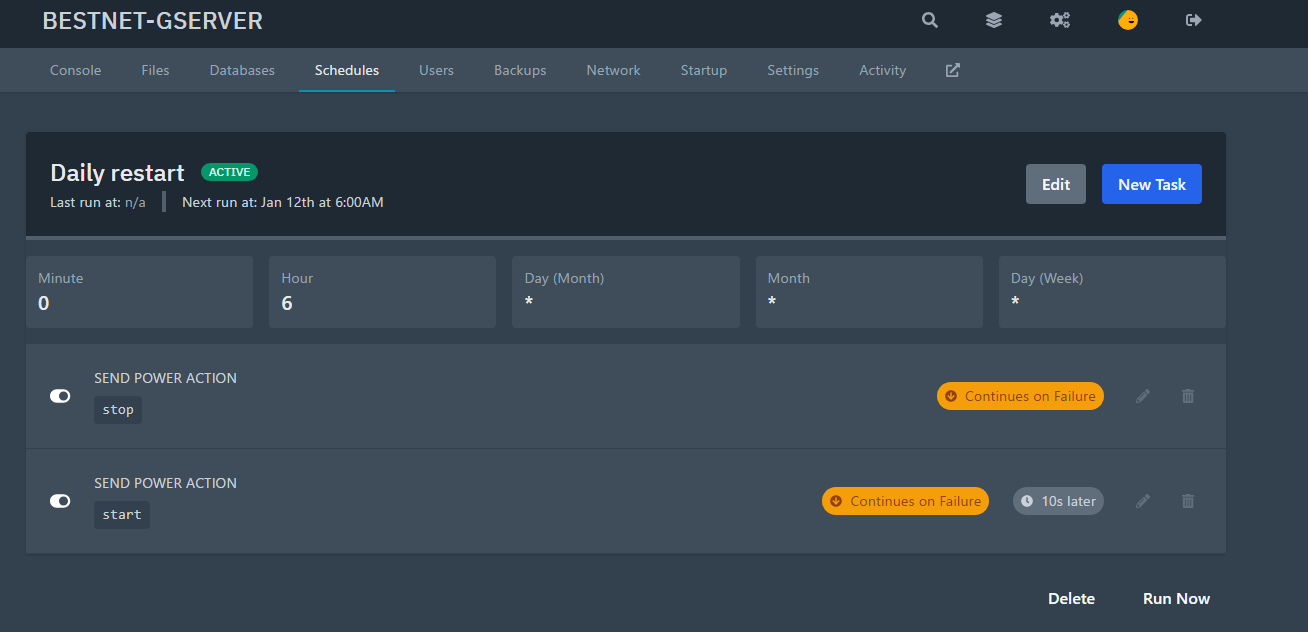
Schedule Configuration
Click the Schedule tab in the game panel, then click ‘Create schedule’.
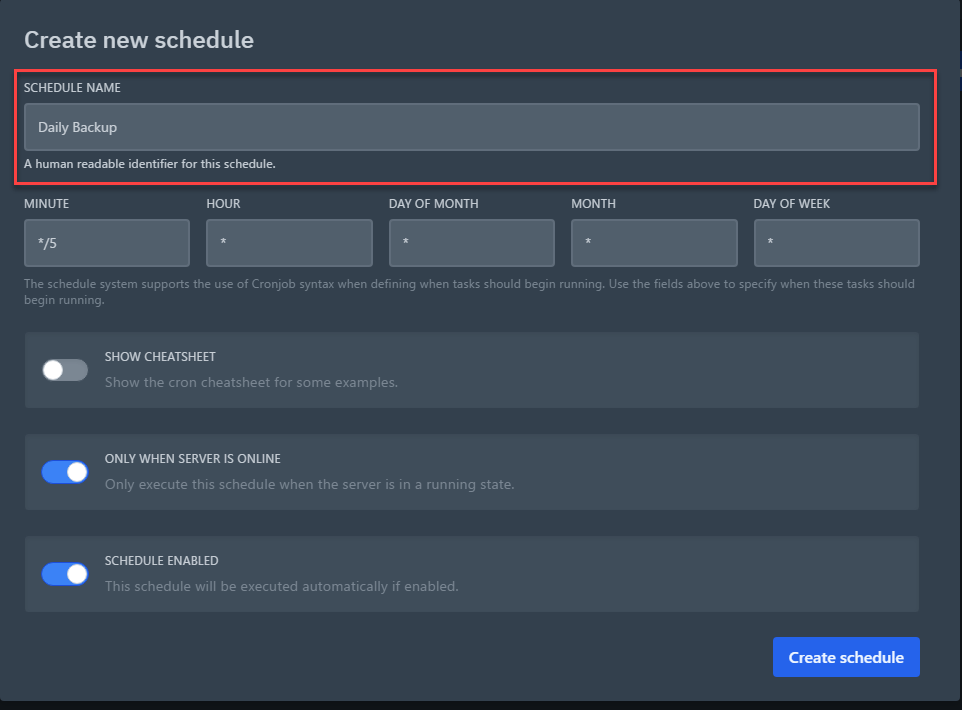
Set Schedule Name
Set any schedule name you prefer. In the configuration example of this guide content, it is set as Daily Backup.
Time Settings
In the configuration example of this guide content, the task is set to run daily at 6:00 AM. The actual screen is explained as follows.
Note: schedules are based on Japan Standard Time (JST). For example, setting a daily task at 4:00 runs it at 4:00 AM Japan time. In July 2026 we standardized the platform clock to Japan time; servers created before then switch to Japan time display after their next restart.
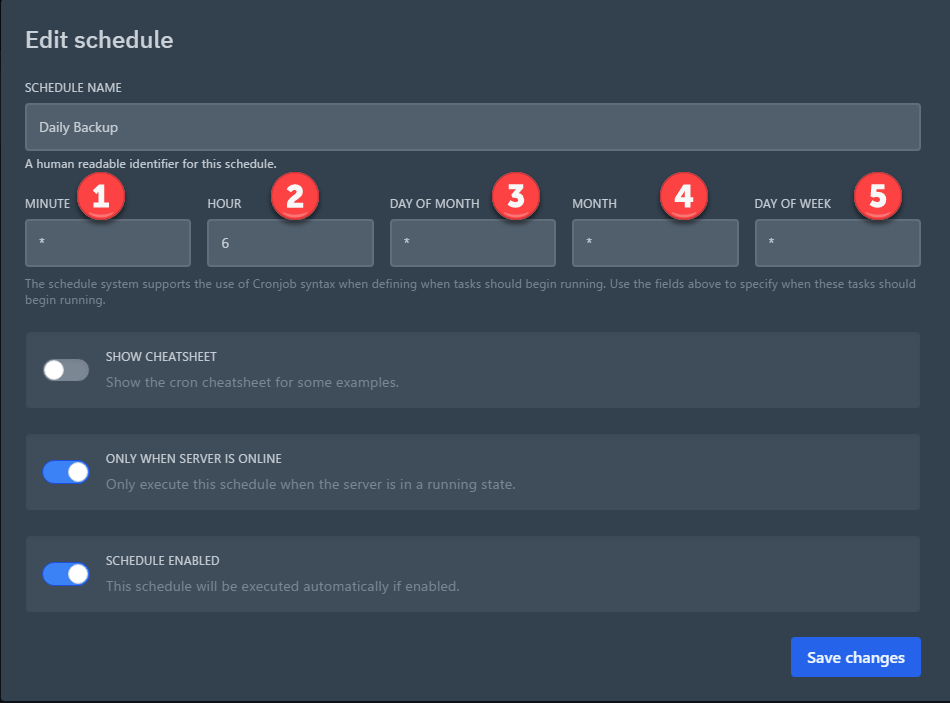
①Minute
②Hour
③Day
④Month
⑤Week
After entering the settings, click Save changes.
Create Tasks Linked to Schedule
You can configure tasks linked to the schedule you created. The configurable tasks are as follows.
1. (Send command) Execute any command
2. (Send power action) Power operations
3. (Create backup) Create backup
※If multiple tasks are set simultaneously at the same time, one of the tasks may fail.
In such cases, set the wait time before task execution using ‘TIME OFFSET (IN SECONDS)’.
For example, if you schedule a restart at the scheduled time, set the start task to run 10 seconds after the shutdown task execution.
Configuration Examples
Run backup daily at 6:00 AM
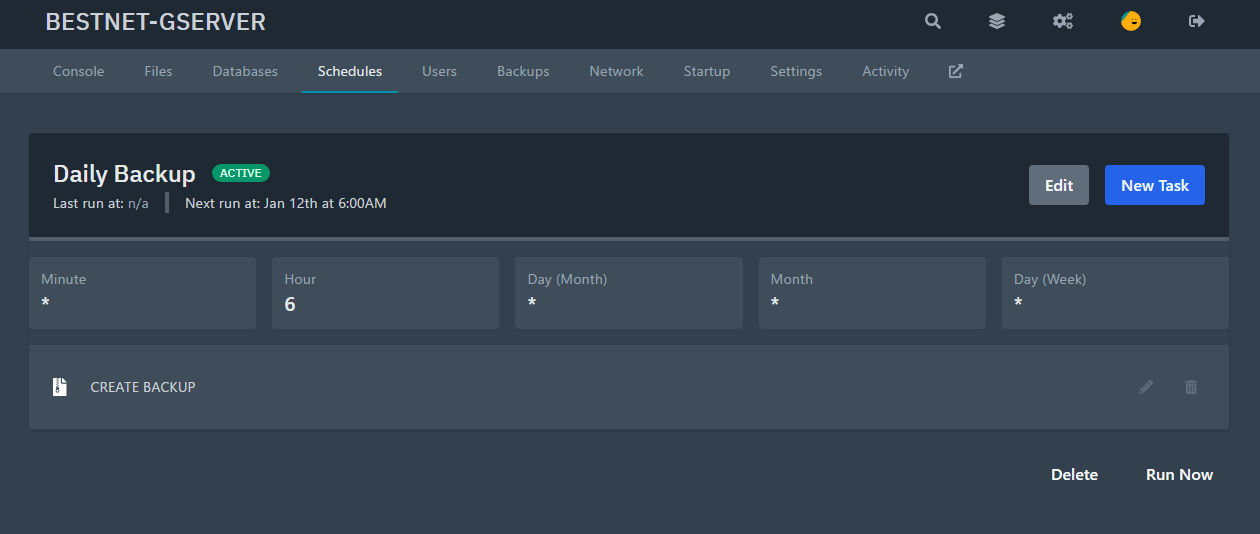
Restart game server daily at 6:00 AM (Execute start task 10 seconds after shutdown task execution)