Overview
Myth of Empires provides players with a dynamic multiplayer warfare sandbox experience that significantly enhances the game’s freedom. As players embark on quests to conquer territory and build thriving empires, “survival, crafting, creativity, and leadership” play important roles. The game’s immersive world promotes strategic thinking and collaboration as players overcome challenges and strive to gain an advantage in this vast and engaging multiplayer environment.
How to Join a Myth of Empires Server
1. Log in to https://gsv.bestnetllc.co.jp/Game Panel.
2. Start your server.

| Note | It takes a few minutes for the server to load before it appears in the game’s server browser after startup. |
3. Go to the [Startup] tab, which is the third from the top right.

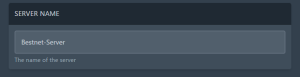
4. From the “SERVER NAME” field, note down the name.
5. Launch Myth of Empires.

6. Go to the “Custom Server” tab.

7. Select the “Solo Server” window.

8. Enter the server name from Step 4 in the search bar.

9. Select your desired server and click “Connect”.
10. If your server is password protected, enter the password and click “Confirm”.