
Contents
How to Change the ARMA3 Server Name
1. Prerequisites
Please log in to the Game Panel.
For instructions on how to log in to the Game Panel, see here
2. Revision History
- 1.0:
- Created: January 2024
- Update: Initial version created
- Author: BESTNET-GSERVER
3. Table of Contents
- 1. Prerequisites
- 2. Revision History
- 3. Table of Contents
- 4. How to Change the Server Name
- 4.1 Restart the Server
4. How to Change the Server Name
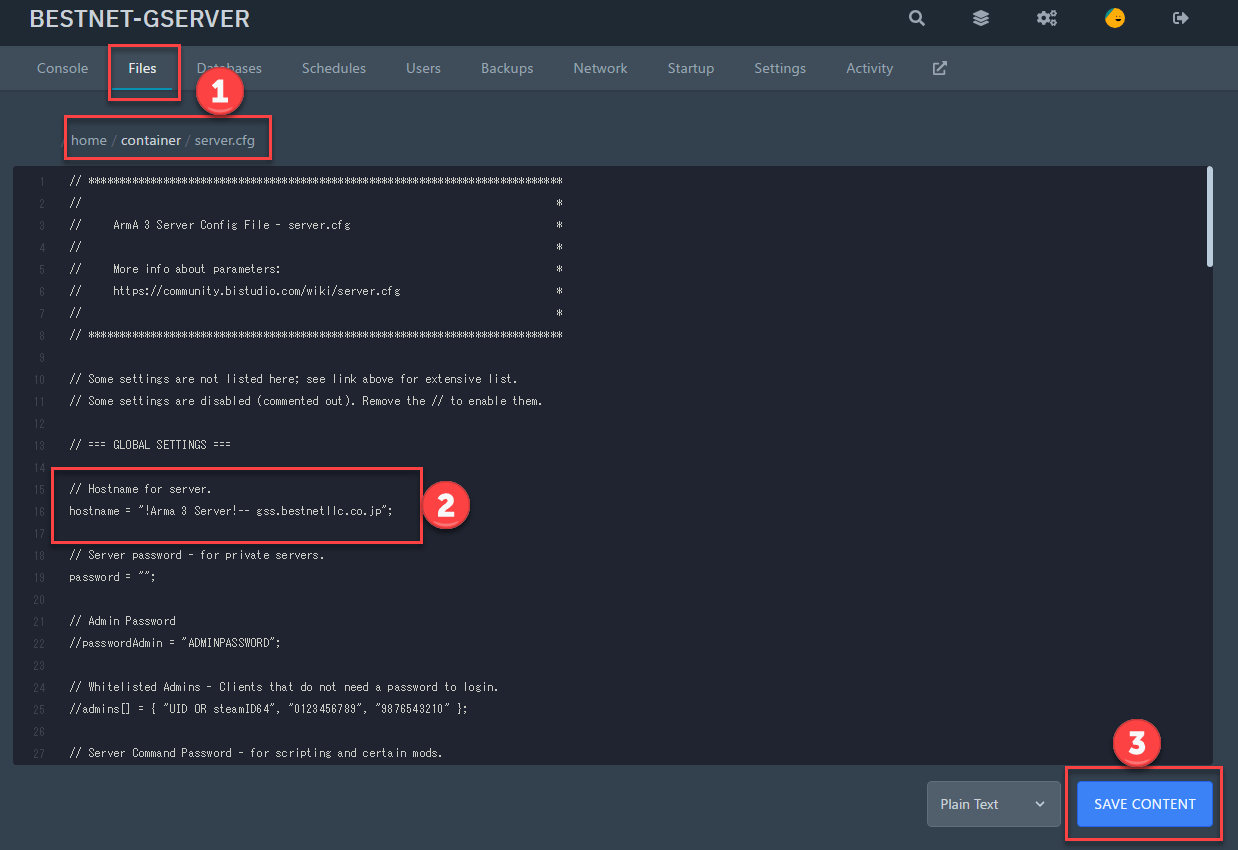
Open the ‘server.cfg’ file using the file browser in the Game Panel.
Set the server name between the quotation marks in ‘Hostname =’ found on lines 15-16.
For example, if the server name is ABCD, enter it as follows:
Hostname = “abcd”;
When finished entering the information, click ‘SAVE CONTENT’.
4.1 Restart the Server
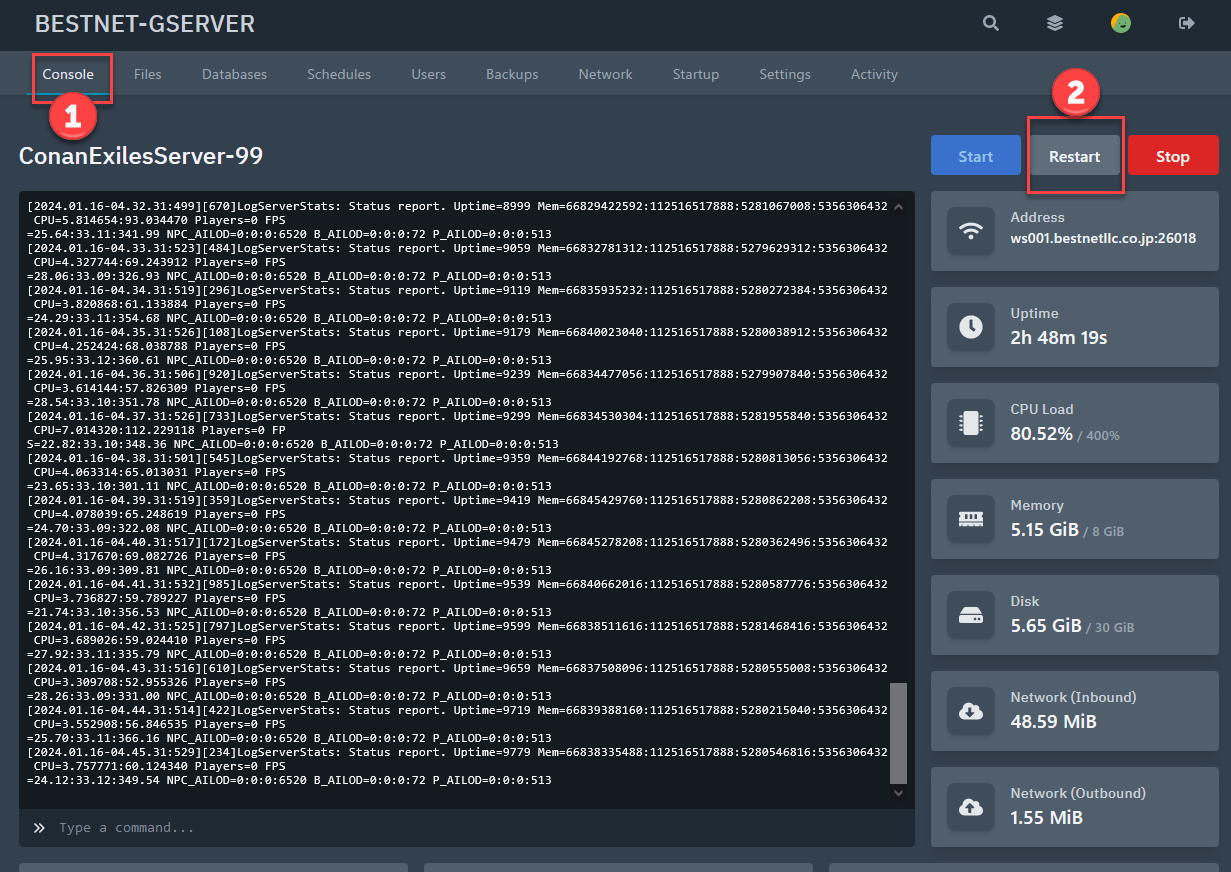
To apply the settings you have entered, you must restart the server.
If you have any other questions, please submit a ticket.


